A DAY PLANNER FOR IPHONE, IPAD AND APPLE WATCH
Your day is a dial.
Rondia shows your whole day as a clock face. One look tells you what is now, what is next, and how much day is left.

Free for 7 days. No account, no card.
HOW TO READ IT
Twelve hours, one circle
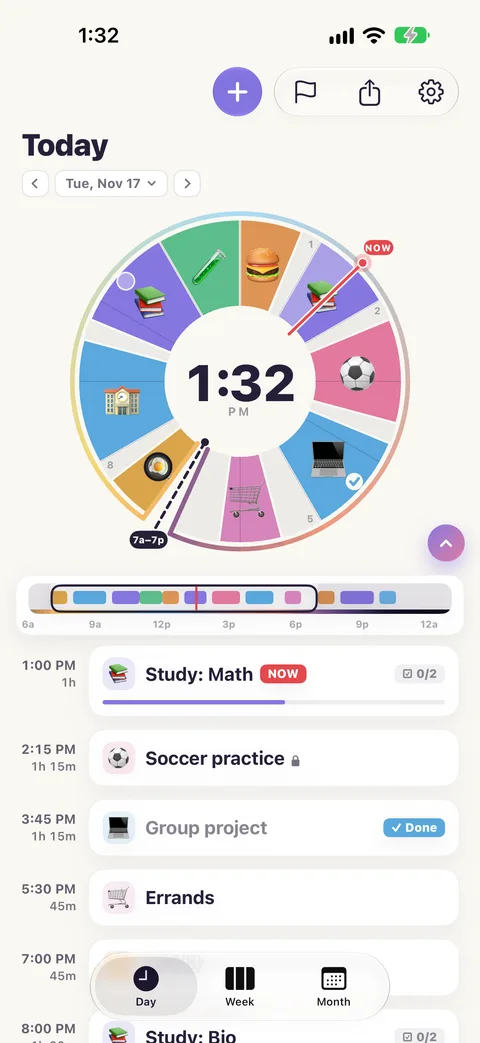
Every block of your day is a slice of the dial, in its own colour. The red line is now. The block you are in fades up to that line, so you can see how much of it is left. You do not read your day. You look at it.
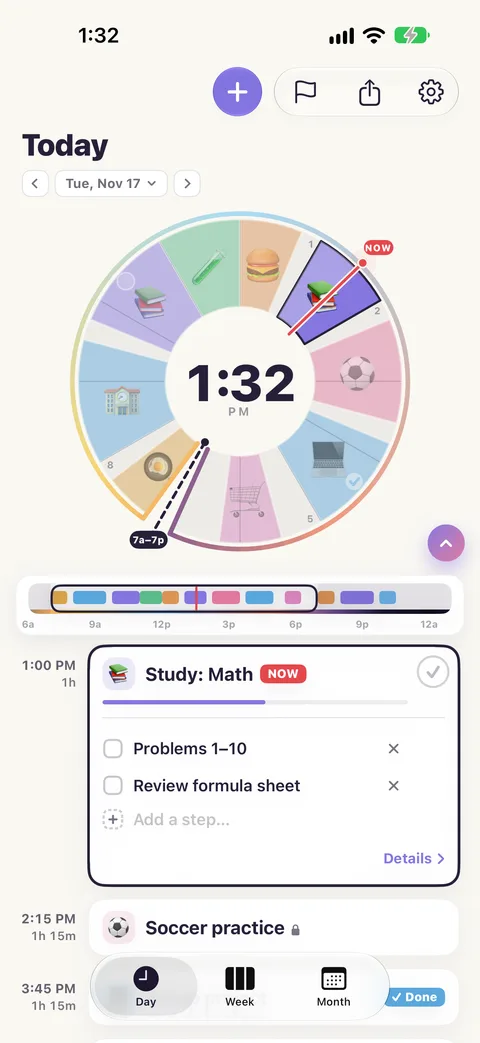
- A block. "Soccer practice, 2:15 to 3:30." As long on the dial as it is in your day.
- Now. The red line moves with the clock.
- The centre. Tap it for the time, what is on now, or how much you have finished.
HOW IT WORKS
Plan it, bend it, finish it
-
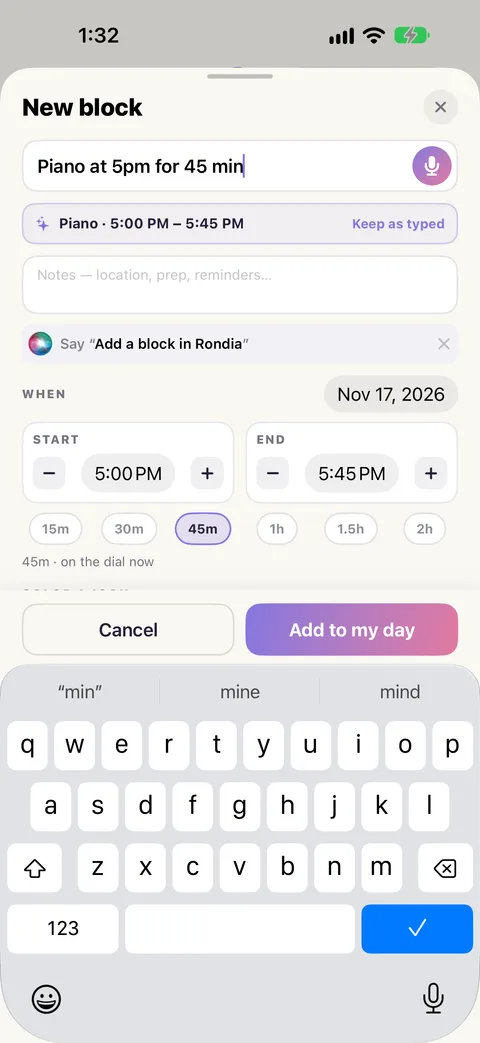
Put your day on the dial.
Tap + and say it in one line: "Piano at 5pm for 45 min". Rondia fills in the time and the length. Or tap the dial where the block should start.
-
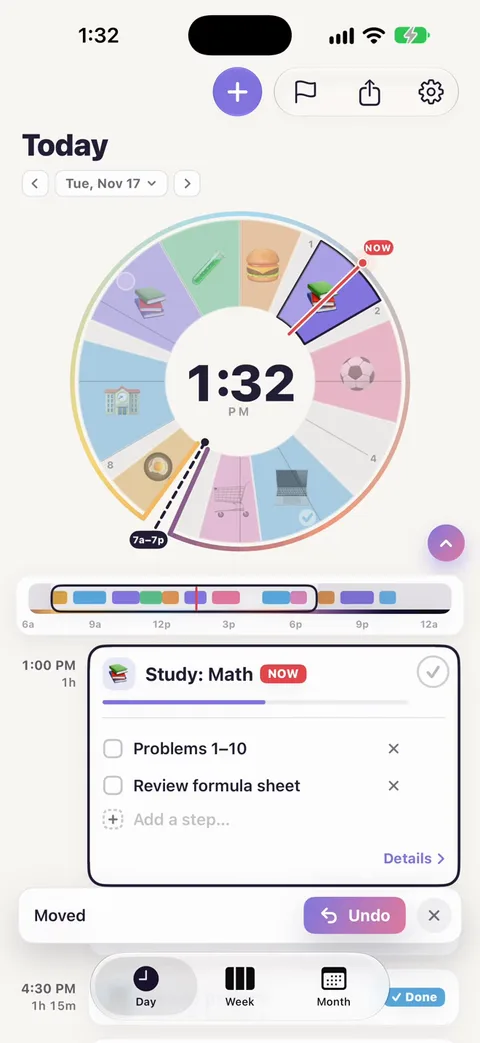
Drag when the day changes.
Days never go to plan. Drag a block and the ones after it move along to make room. Changed your mind? Undo is one tap.
-
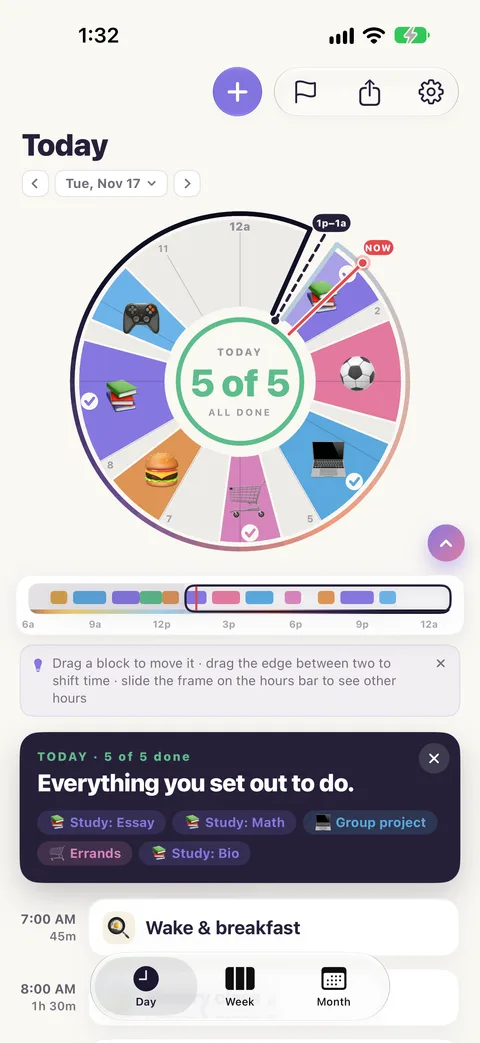
Tick things off.
Break a block into steps and tick them as you go. The centre of the dial keeps count, so the day ends with "5 of 5 done" instead of a list you never finished.
WHOSE DAY IS IT?
School day, workday, any day
I built Rondia for my kids' school days. Adults plan with it too: a day of lectures or meetings has the same shape.
-
For students
Lectures that stay put, study time around them, and a due list for the essay that is not a time on the clock.
Rondia for students -
For a workday
Your calendar's meetings sit on the dial and you plan the focused hours around them. One look shows how much day is left.
Rondia for a workday -
For families
A school day a kid can read at a glance, with a colour and a picture for every part of it. One membership covers the family.
Rondia for families
Made by a parent, for three kids
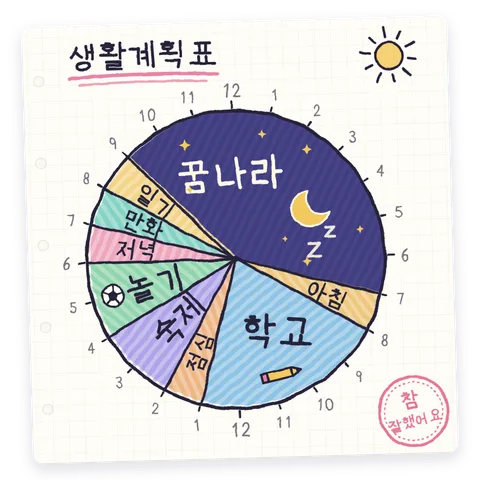
When I was a kid in South Korea in the 1980s, we had to draw our day as a circle, cut up like a clock. It was my nightmare. Then I had three kids of my own and realized how useful it is: one look shows what is now, what is next and how much day is left. So I built it for them. They find it super useful, which is why I am sharing it with you.
Read the storyONE GLANCE, ANYWHERE
On your Home Screen, your Lock Screen and your wrist
You should not have to open an app to know what you are meant to be doing.
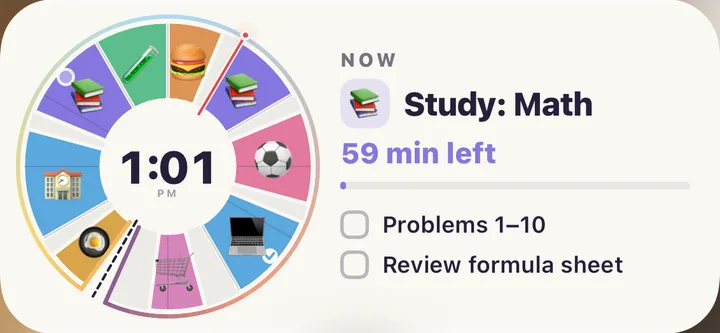
- Widgets. The dial on your Home Screen, with the block that is on and its steps. Tick a step without opening the app.
- Lock Screen and StandBy. The block that is on, how long it runs, and what comes after: "Until 2:00 PM · then Soccer practice."
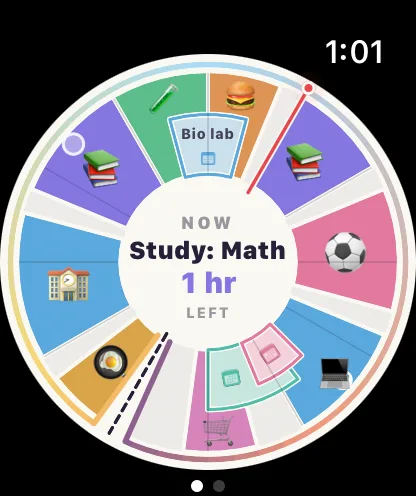
- Apple Watch. The dial on your wrist, a tap when the next block starts, and Mark done from the watch.
IPHONE, IPAD, APPLE WATCH AND IPHONE DUO
Big screen, small screen, folding screen
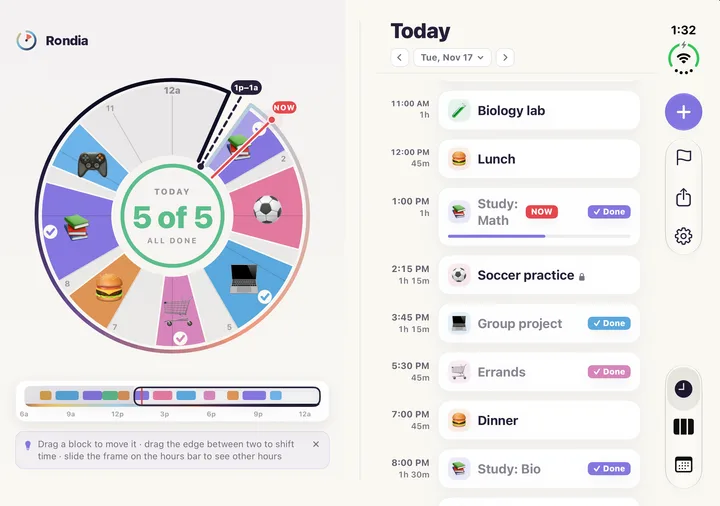
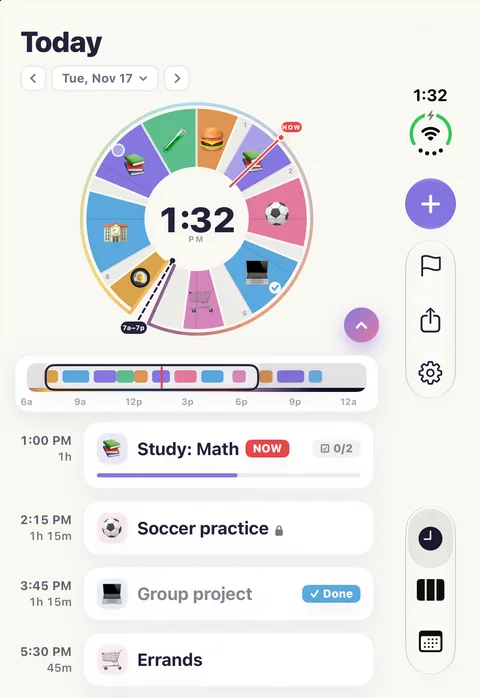
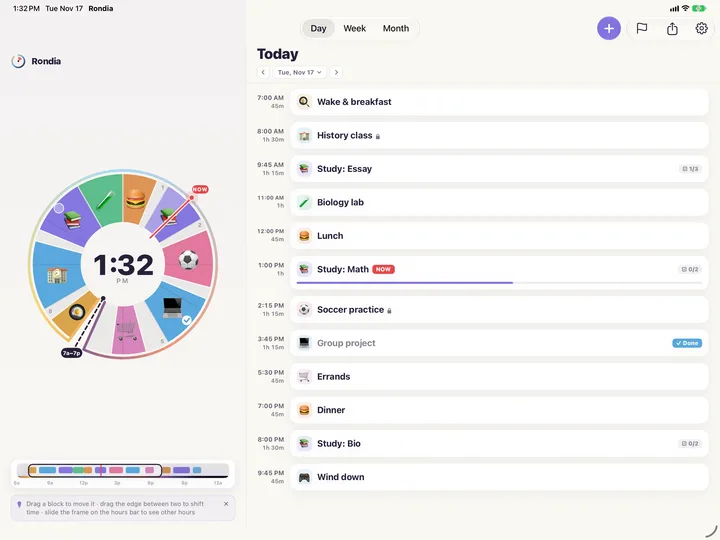
Rondia lays itself out for the screen it is on. Where there is room, the dial sits beside your day's list.
-
iPhone
The dial on top, your day underneath.
-
iPhone Duo
Folded, it is the same as on any iPhone. Open it and the dial sits beside your list.
-
iPad
Held sideways, the dial and your whole day share the screen.
-
Apple Watch
The dial on your wrist, a tap when the next block starts, and Mark done from the watch.
Your plan syncs through your own iCloud between your iPhone and iPad. The watch gets its day from the iPhone. Your devices and iCloud
WORKS WITH THE CALENDAR YOU HAVE
Calendars get messy. Your plan doesn't.
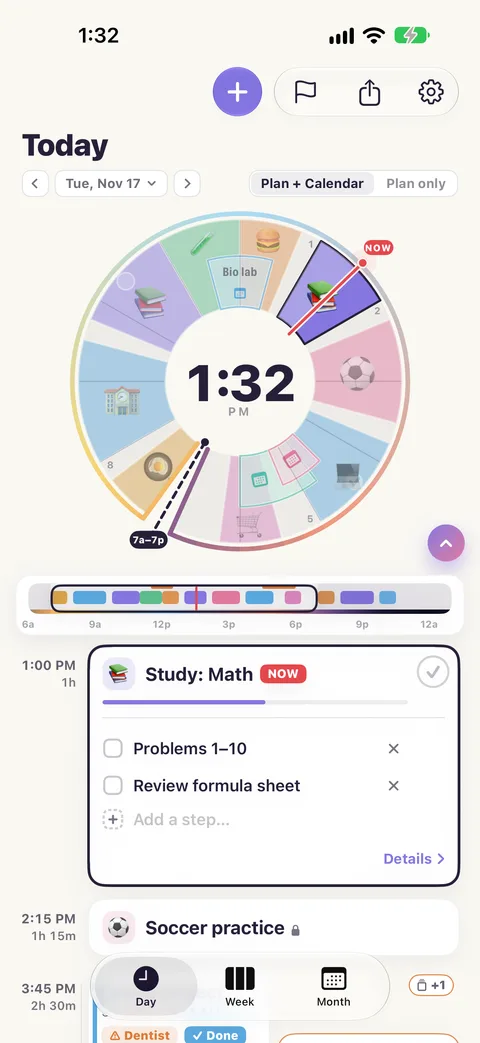
Let Rondia show the events from your iPhone's Calendar and they sit on the dial as short orange-outlined wedges. They stay put, and your plan flows around them. Your own blocks never overlap.
It goes the other way too: put your blocks on your calendar, and if you move one there, Rondia follows.
PRIVATE BY DESIGN
Your day is none of my business
No account.
There is nothing to sign up for.
No tracking.
No ads, no analytics, no tracking software.
Stays with you.
Your plan lives on your device and in your own iCloud. I have no server and cannot see it.
One exception, and it is anonymous.
I look at crash reports, the ones Apple passes along from people who have chosen to share them, so I can fix what breaks.
THE PRICE
$8.99 a year. Just you, or the whole family.
Free for 7 days, with no account and no card. After that it is $8.99 a year, about 75¢ a month, and one membership covers up to 6 people with Apple's Family Sharing.
I keep it cheap because I built it for my kids, not to get rich. The membership is what keeps the app improving.
If you do not join after the free week, nothing is deleted. You can still open your plan and read it. You just cannot change it until you do.
EASY TO LEARN
Learn it in five minutes
Short guides with pictures of every step. Start with the first one; the rest are there when you need them.
-
Your first day
Open Rondia, put three things on your day, move one, and tick one off.
5 min
-
How to read the dial
What the circle, the colours, the red line and the bar underneath are telling you.
2 min
-
Add a block
Five ways to put something on your day. The quickest is one line of plain English.
3 min
-
Move things around
Drag a block, drag an edge, undo, and keep the things that cannot move where they are.
3 min
HELP ME MAKE IT BETTER
Tell me what to build next
I want Rondia to be useful for you, not just for my family. If something confused you, or there is one thing that would make it fit your day, tell me. I read every message.